The logo looks crisp on a presentation slide, but the mark on a small pendant is crowded and difficult to read. The problem may not be the artwork quality. It may be that the artwork was never reviewed at the actual production size and on the actual surface.
Custom jewelry logo artwork should include a usable source file, exact dimensions, location, orientation and the intended marking result. Approve the mark on a finished sample before treating a digital proof as production-ready.
This handoff workflow is designed for private-label teams. It separates the brand decision from the manufacturing decision so changes are easier to review.
Step 1: Choose the job the mark must do
Decide whether the logo is a visible design feature, a discreet brand signature or an identifier on the reverse. That choice determines how much space it needs and how much contrast is useful.
Compare Gold Stainless Steel Blank Oval Signet Ring and Custom Engraved Stainless Steel Bracelet when discussing a branding location. Approve the mark at actual size on the selected surface before releasing the artwork.
Consult WIPO trademark guidance for trademark background when preparing branded artwork. Confirm authorization to reproduce the supplied mark separately from manufacturing approval.
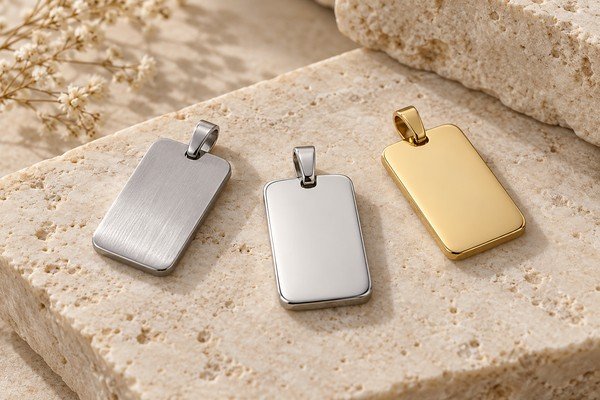
A prominent pendant face and a small clasp tag have different constraints. Start with the available surface rather than shrinking the full brand lockup until it barely fits. A simplified mark may be more legible, but any simplification should be approved by the brand owner.
Use only artwork you are authorized to apply. A competitor’s photograph can explain a placement preference; it does not authorize copying their logo or protected design.
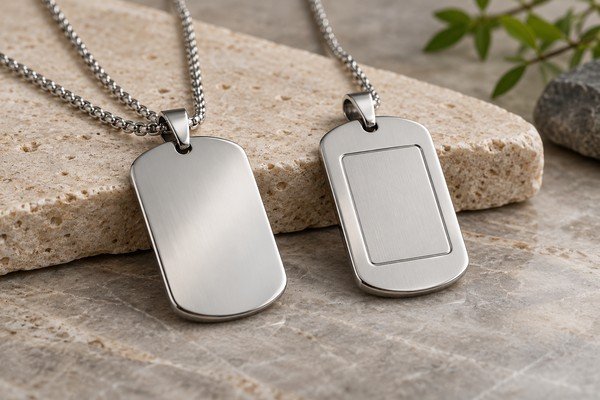
Step 2: Send a production file and a viewing file
Ask the supplier which production formats fit the proposed process. AI, SVG, EPS or PDF may be suitable for vector artwork, but the extension alone does not prove the contents are vector paths. Include a viewing PDF showing the intended appearance.
- Production artwork: one approved revision, with fonts outlined where required and no missing linked assets.
- Actual size: width and height in millimeters, plus a proof at 100% scale.
- Placement drawing: product reference, usable surface, edge or centerline offsets and orientation.
- Process and finish: intended effect, material, final surface treatment and proposed marking sequence.
- Approval record: revision ID, date and accepted physical sample reference.
Ask the supplier to confirm the minimum line width and gap for the specific process, surface and artwork. There is no single limit suitable for every jewelry design. For changes to the usable surface, follow our jewelry CAD review guide.
Identify the final version and remove unused alternatives from the production handoff. Convert fonts to outlines where the chosen workflow requires it, while retaining an editable master for your own records. Do not rely on the supplier having the same fonts installed.
Avoid screenshots taken from social media or low-resolution website logos when a proper source file exists. Enlarging a small raster image does not restore missing detail.
Step 3: Define placement with measurements
Provide the mark width and height in millimeters. Show its distance from a recognizable edge or centerline, and indicate which way it faces when the jewelry is worn or opened.
For a rectangular pendant, “center on back” may still leave uncertainty about the usable area around the bail. For a curved bangle, the surface direction and viewing angle matter. A simple annotated drawing is often clearer than a long message.
| Handoff item | Example of useful detail |
|---|---|
| File identity | Brand mark, revision and approval date |
| Size | Exact artwork width and height |
| Position | Centerline and distance from edge |
| Appearance | Discreet tone-on-tone or visibly contrasting mark |
| Reference | Approved physical sample ID |
Step 4: Discuss the process before expecting a result
Laser marking, engraving, stamping and integrated design details do not create identical effects. Ask the supplier what is practical for the material, geometry, finish and quantity.
Clarify whether the proposed operation takes place before or after the surface treatment. That sequence can affect the appearance of the marked area. Review a representative result instead of assuming the effect from another material will transfer directly.
If the mark must remain legible after agreed handling or exposure, define the verification needed. Do not use the word permanent as a substitute for a documented requirement.
Compare jewelry logo marking methods
This comparison is a starting point for a feasibility review. Laser marking and laser engraving can overlap in supplier terminology; describe the required result and approve a representative sample.
| Method | Typical application | Desired effect | Development and inspection |
|---|---|---|---|
| Laser marking | Small brand signatures on accessible metal surfaces | A visible surface mark; contrast depends on material, finish and settings | Confirm legibility, alignment and the effect on the finished surface. |
| Engraving | A recessed logo or lettering where the part permits it | A defined recess; specify whether laser or mechanical engraving is proposed | Agree depth and edge quality; check remaining thickness and surface finish. |
| Stamping | Repeat marks on parts suitable for a die and supporting fixture | An impressed mark | Confirm tooling costs and support; inspect distortion and impression consistency. |
| Integrated logo | A logo developed as part of the product geometry | Raised, recessed or shaped branding | Review CAD and tooling before sampling; check edges, proportions and readability. |
Compare the result on the intended final finish using our jewelry surface finish selection guide. A polished, brushed or coated sample may require a different visual approval.
Step 5: Approve at actual size
Print the proof at its stated scale, then review the physical sample under normal viewing conditions. Check letter spacing, thin lines, enclosed details and orientation. A highly magnified image may make a tiny logo appear more readable than it is.
Review the marked product in its final finish. Reflection can make a polished surface harder to judge in a photograph. Ask for multiple angles when needed, but preserve a physical reference for subtle appearance decisions.
Use our jewelry sample approval checklist to record the accepted logo, position and finish. Our private label jewelry manufacturing guide explains how branding connects with packaging and sample approval.
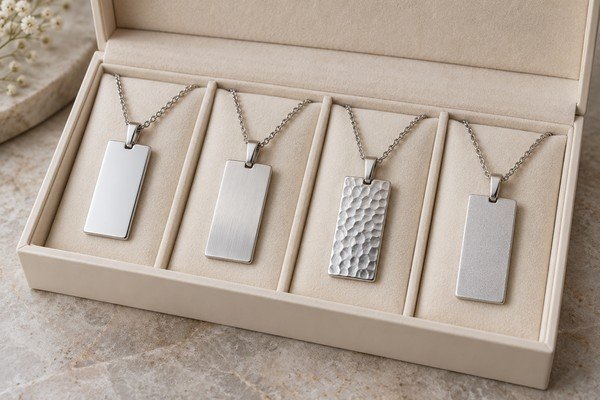
Step 6: Keep the approved version with the order
Record which file was used, which sample was accepted and what changed between revisions. Make the approval statement specific: logo accepted at the stated size and location on the identified product.
A later size or shape change may reduce the marking area. Ask for a new proof when that happens. The old logo file can remain correct while its old placement becomes unsuitable.
Keep product marking and packaging artwork in separate files with matching revision references. This reduces the risk of applying a box logo layout directly to a small metal surface.
My practical view: a small, readable mark is usually more useful than a detailed mark nobody can recognize. Decide that deliberately during sampling.
Keep an approved logo marking record
For each style, preserve the vector artwork revision, actual-size placement drawing, marking method, product surface and a photo of the marked physical sample beside a scale. Confirm readability at the smallest saleable size and review any changes in depth, contrast or alignment after polishing or plating. If the artwork needs simplification, obtain a revised buyer approval before bulk production. Do not treat a digital mock-up as proof of final marking quality.
Logo proof release example
Use these fields in your purchase order or sample review. Numerical values and IDs below are illustrative, not live product specifications, test results or confirmed commercial terms. Agree measurement methods, tolerances and acceptance criteria for your actual design.
| Field | Record or illustrative example | Verification before release |
|---|---|---|
| Artwork | Vector master B + real-size PDF | Retain authorized text and logo version; do not resize silently |
| Placement | Width, height and offsets from named landmarks | Check orientation on the smallest intended product surface |
| Physical approval | Marking method, finish and sample ID | Approve legibility and location on the finished sample before bulk release |
Artwork questions
Can I send only a PNG logo?
A suitable raster file may work for some marking workflows, but acceptance depends on resolution at the final size and the proposed process. Ask for a feasibility review. Converting a low-resolution PNG to SVG does not automatically recreate clean artwork.
Should the logo be applied before or after PVD?
Confirm the sequence with the supplier for the specific product and desired effect. Processing before or after coating can change contrast and the marked surface. Approve a sample made in the proposed sequence rather than assuming either order is always correct.
Why is my logo clear on screen but unclear on the product?
A screen preview is often enlarged. At actual size, thin strokes, small gaps, surface curvature and reflections can reduce legibility. Review a 100% scale proof and a finished sample under normal viewing conditions; approve any simplification with the brand owner.
Is a vector file always enough?
No. The file does not define the usable marking area, real size, orientation or finish.
Can the logo stay unchanged on every size?
Sometimes, but confirm that the smallest product has enough suitable space and that placement remains balanced.
Send Yleryler your logo and product reference for a feasibility review before production artwork is finalized.
Images are AI-generated design illustrations. Confirm actual products and specifications against approved samples.